Windows WSL2安装
Windows WSL2安装
摘要
- 后续的Docker等程序,都需要WSL2环境,如果WSL环境安装不正确(或不是最新版本),会导致后续软件安装失败。
- 参考链接:https://www.bilibili.com/video/BV1THKyzBER6
安装步骤
修改Windows的默认设置
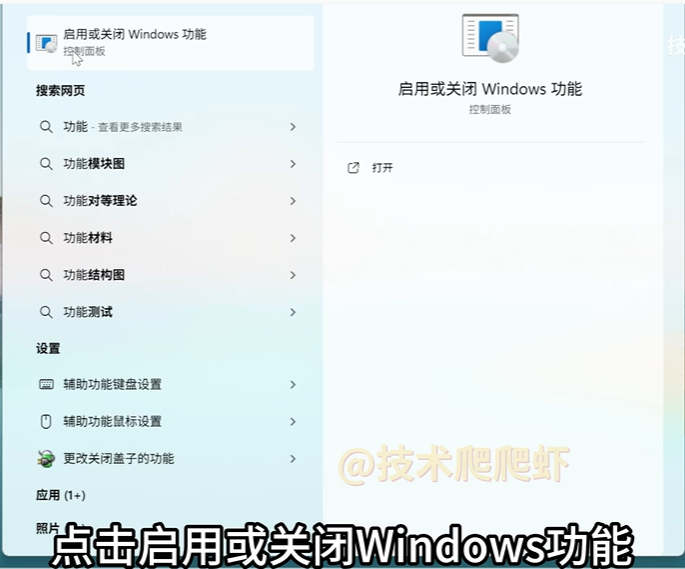
启用“虚拟机平台”(Virtual Machine Platform)和“适用于Linux的Windows子系统”
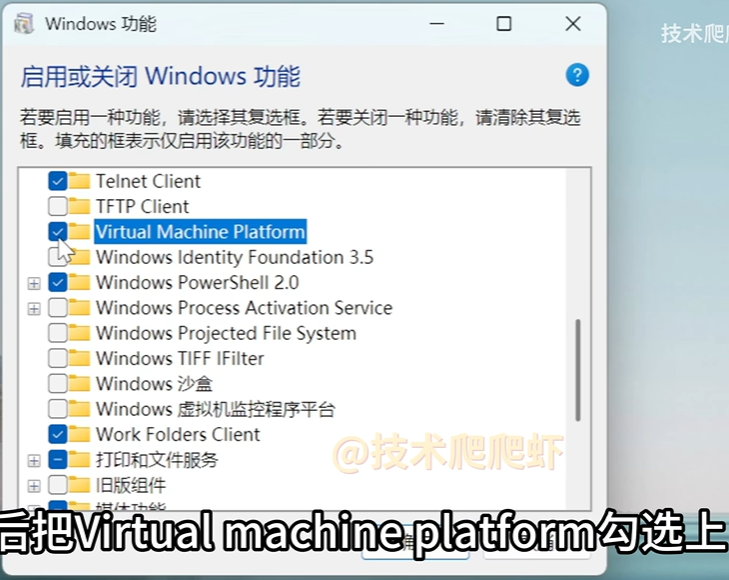
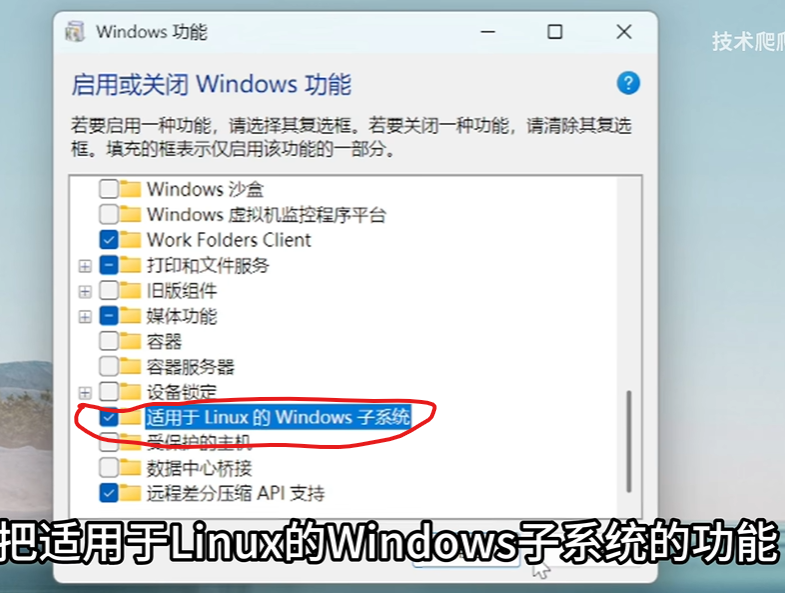
按照提示重新启动电脑
通过cmd或者powershell安装WSL
# 安装wsl
wsl --install

# 将WSL的版本设置为WSL2
wsl --set-default-version 2

# 更新WSL
wsl --update
#如果下载太慢,尝试
wsl --update --web-download
#或者从github下载离线安装包:https://github.com/microsoft/WSL/releases
后续的Docker等程序,都需要WSL2环境,如果WSL环境安装不正确(或不是最新版本),会导致后续软件安装失败。