Github & git
创建仓库
SSH
#SSH
#Generate your key with your email.
ssh-keygen -t rsa -b 4096 -C "your_email@example.com"
#all key file under ~/.ssh/
#id_rsa is private key, don't give it to anyone.
#id_rsa.pub is public key for GitHub

# different location to generate key Files
ssh-keygen -t rsa -f ~/Documents/sshkey/{name}
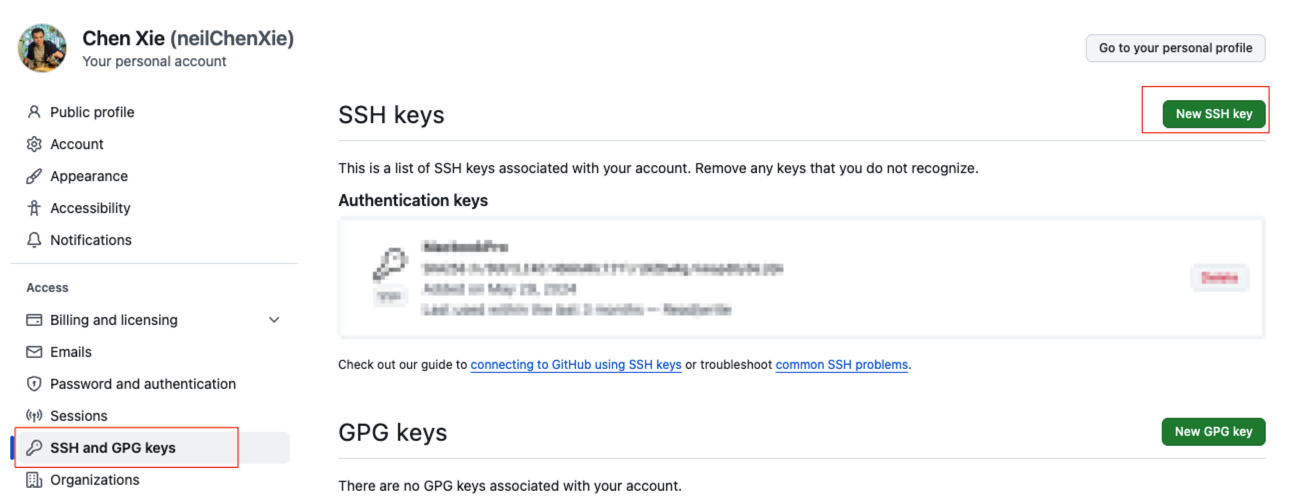
将文件夹下的id_rsa.pub文件内容加入到github中。
Init & Config
#进入项目文件夹
git init

#Config
# name,email 涉及contribution统计
git config --global user.name "Chen Xie"
git config --global user.email "chenxie2016@163.com"

# 查看设置
git config --list

# 设置
# check the Remote URL AND modify the Remote URL
git remote -v
git remote set-url origin <NEW_GIT_URL_HERE>

# simple for current branch, matching for all branches
git config --global push.default simple

# sensitive to up/lower case
git config core.ignorecase false
Add, Commit & Push
# git add all files
git add .

# commit
git commit -m "first commit"

git push origin main
.gitignore
File Content
Mac&Windows Related
# Mac_OS
.DS_Store
.Spotlight-V100
.Trashes
._*

# Windows
Thumbs.db
desktop.ini
Editor&IDE Related
*.[oa] *~  # Gedit
.*.sw[po]  # Vim
# Eclipse
.project
.classpath
.settings
.metadata

# VS Code
.vscode/
*.code-workspace

#IDEA
.idea/
Nodejs Related
# nodejs
node_modules/
dist/
build/
.env
.env.local
.env.*.local
*.log
npm-debug.log*
yarn-debug.log*
yarn-error.log*
pnpm-debug.log*
Java Related
# java compile
*.class
target

# Mobile Tools for Java (J2ME)
.mtj
.tmp/
# virtual machine crash logs, see http://www.java.com/en/download/help/error_hotspot.xml
hs_err_pid*
Jekyll Related
# jekyll https://jekyllrb.com/tutorials/using-jekyll-with-bundler/#commit-to-source-control
_site/
.sass-cache/
.jekyll-cache/
.jekyll-metadata
.bundle/
vendor/
Remove files which are tracked before it is added to .gitignore
git rm -r --cached .
git add .
Branch
本地基本操作
# list all branches
git branch -a

# change the default branch
git config --global init.defaultBranch {branchName}

# basic branching and merging
git checkout -b iss53
# Switched to a new branch "iss53"
# do modifying and add commit things

# Mergin
git checkout main
# Switched to branch 'master'
git merge iss53
# merge iss53 to main

# Delete
git branch -d [branch-name] #can delete if the branch is merged
git branch -D [branch-name] #can delete without merging the branch
获取远程仓库的分支
# 要clone远程仓库时,如果想要特定分支时,先clone整个仓库,在切换到对应分支.以MaxKB为例
git clone https://github.com/1Panel-dev/MaxKB

# 查看远程有哪些分支
git branch -a

# 新建本地分支,链接远程分支
git checkout -b release-2.0 origin/release-2.0
-
reference
本地分支与远程仓库分支交互
# Check the relationship between local-branch and remote-branch
git branch -vv

# Add remote Repo
git remote add <repo-nickname> <repoUrl>
# Delete remote Repo
git remote remove <repo-nickname>

# set the relationship between local-branch and remote-branch
git branch --set-upstream-to=<RepoName>/<remote-branch-name> <local-branch>
#or Use -u when push
git push -u <remote> <local_branch>

# Delete local-fetched remote-branches
git branch -d -r origin/[remote-branch-name]

# Delete remote branches in Repository
git push origin --delete [remote-branch-name]

# Delete Fetched Remote Branches
git fetch --prune # Auto-delete branches which are deleted in remote repository
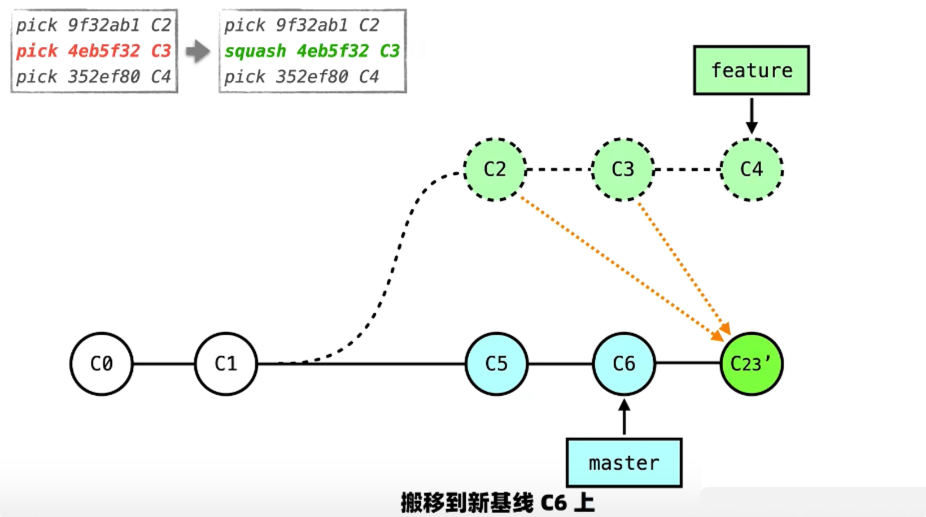
当分支提交了Commit,主干也有新的Commit(git rebase -i)
参考:

结论,在此情况下,使用git rebase好过git merge main。
黄金原则:不要使用rebase处理已经被其他人引用的提交。
引申,git rebase -i常用命令:
-
pick: -
rework: -
squash:当前commit和之前(更旧)的commit合并成一个 -
drop:舍弃
注意交互界面,commit从上到下是按照从老到新的顺序,然后squash的节点之前,一定要有一个pick的节点(更老的commit)。
Recovery
For Entire Folder
git reset --hard # discard all changes
git clean -f -d #remove untracked
git clean -f -d -x # above plus ignored file
For File
# last commit
git checkout filename

# one commit
git log
# choose one commit to recover
git checkout --HEAD filename
For Commit point
#TODO
git reset
实战经验
已有项目创建Github Pages
通过jekyll new myblog生成必要的文件,再将这些文件Copy到现有项目的指定分支下。
然后配置Github仓库的pages设置、项目CNAME文件、域名供应商的解析。
然后,再checkout一个分支,用于pull或fork博客模板,在main分支merge模板分支后,修改_config.yml、favicon.ico文件等,push main分支应用模板。
本地Git不同分支对应不同远程仓库
场景
博客模板:我现在有个基于Github Pages的Jekyll博客项目A已经提交了很多年,有很多Commit;有个项目B是Jekyll博客模板框架,也更新了很多年。现在我希望能把项目A的博客框架换成项目B的,同时,后续我在项目A要优化框架时,调试完,也把最新的更新推给项目B。我应该怎么规划管理项目A和项目B的分支。
其他场景如中间件等
经验
注意:每个本地分支只能对应一个远程仓库分支。
#设置不同仓库的别名
git remote add [RepoName] [RepoURL]

# 将本地分支推送到指定仓库的分支
git push -u [RepoName] [local-branch-name]:[remote-branch-name]
# 案例
git push -u cayman cayman-theme:digital-scrapbook

# 查看本地分支对应的仓库分支
git checkout [local-branch-name]
git branch -vv
github怎么把Issue和commit关联起来
在 GitHub 上建立 Issue 和 Commit 的关联,能极大提升项目的可追溯性和管理效率。下面这张图清晰地展示了两种核心的关联方式及其最终效果:
下面是每种方式的具体操作方法和要点。
✍️ 通过提交信息关联
这是最直接、最常用的方法。关键在于在 git commit的提交信息(commit message)中使用特定的关键字和 Issue 编号。
-
关键字的使用:GitHub 识别一系列关键字来自动执行操作,最常用的是
fixes 和 closes。当包含这些关键字的提交被推送到主分支(如main或master)后,关联的 Issue 会自动关闭。- 示例:
git commit -m "修复用户登录失败的问题 fixes #123" - 其他有效关键字还包括
resolve、resolves、closed、fixing等,它们不区分大小写。
- 示例:
-
格式要点:为了确保 GitHub 能正确识别,关联指令(如
fixes #123)最好放在提交信息的摘要行(即-m后的第一行描述)中。如果提交信息较长,需要多行描述,可以在摘要行之后另起一行添加更详细的信息。
🔀 通过拉取请求关联
如果你使用特性分支工作流,代码通过拉取请求合并,这也是关联 Issue 的绝佳时机。
- 在PR描述中关联:在创建或修改拉取请求时,可以在其描述框中手动输入
fixes #123或closes #456。当这个拉取请求被合并时,所有在描述中被关联的 Issue 都会自动关闭。 - 手动关联:在拉取请求界面的右侧边栏或开发面板中,通常有一个 “Development” 部分,你可以手动将某个 Issue 与该 PR 链接起来。
💡 关联的价值与最佳实践
建立这种关联不仅仅是图个方便,它能为项目和团队带来实实在在的好处:
- 清晰的上下文:任何人查看 Issue 时,都能直接看到是哪次代码提交解决了它,便于理解修改意图和进行复查。
- 自动化工作流:自动关闭 Issue 减少了手动操作,使工作流更加顺畅。
- 生成变更日志:规范化的提交信息(如使用 Conventional Commits 规范,包含
feat:、fix:等类型)可以用于自动生成项目的变更日志(CHANGELOG),让版本更新内容一目了然。 - 项目管理和效能度量:将代码与具体任务(Issue)关联,有助于管理者从需求和任务维度评估工作量、代码质量与风险,实现更精细化的项目管理。
最佳实践建议:
- 保持原子性提交:尽量让一次提交只解决一个特定问题,并关联一个 Issue,这样历史记录会更加清晰。
- 团队统一规范:团队内部最好约定一致的提交信息格式和关联方式,例如共同采用 Conventional Commits 规范。
希望这些信息能帮助你更好地利用 GitHub 进行协作!如果你在操作中遇到更具体的情景,比如如何处理关联多个 Issue 的情况,我很乐意继续为你解答。
git 怎么去掉一些不重要的中间commit
在Git中清理提交历史,去除不重要的中间commit,是代码整理中的常见需求。以下是几种核心方法及其操作流程,你可以根据实际情况选择。
Git Rebase案例:当分支提交了Commit,主干也有新的Commit
参考:
结论,在此情况下,使用git rebase好过git merge main。
黄金原则:不要使用rebase处理已经被其他人引用的提交。
引申,git rebase -i常用命令:pick、rework、squash、drop
一个分支增加了一个文件,然后Main分支Merge了,但是后面,Main分支不小心删掉了这个文件,怎么恢复这个文件?
如果还有分支有这个文件
# 无需切换分支,直接从原分支将文件检出到当前工作区
$ git checkout origin/feature-branch <文件路径>
#本地其他分支
$ git checkout [feature-branch] <文件路径>
Windows Git & SSH 安装设置
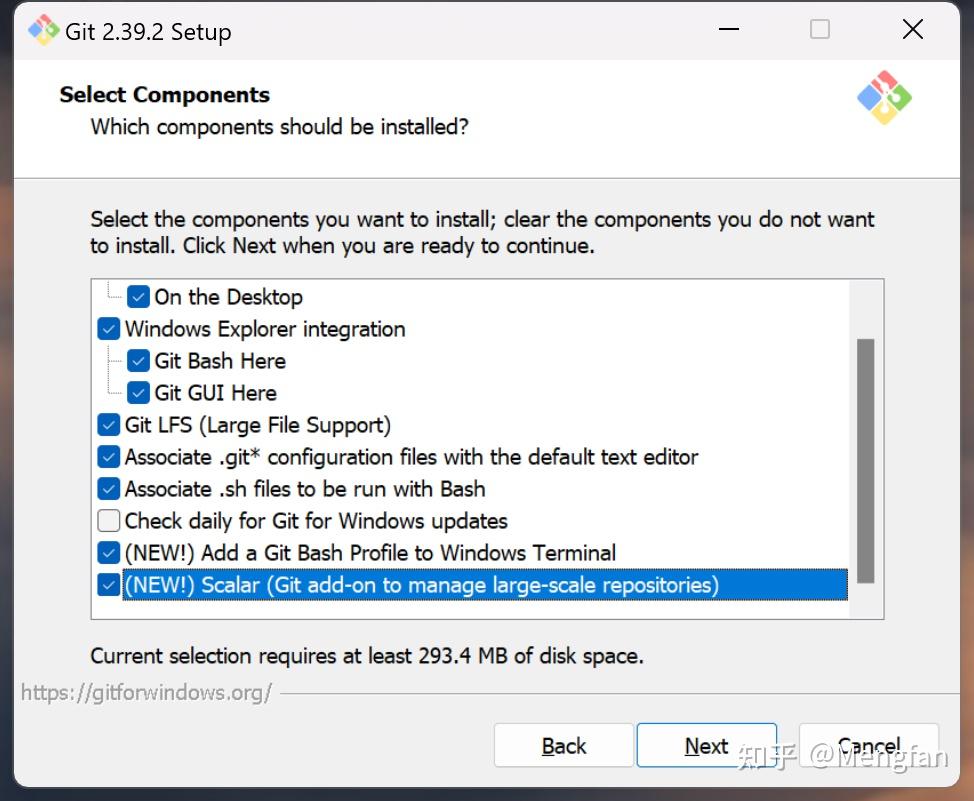
官网下载安装包
有以下调整
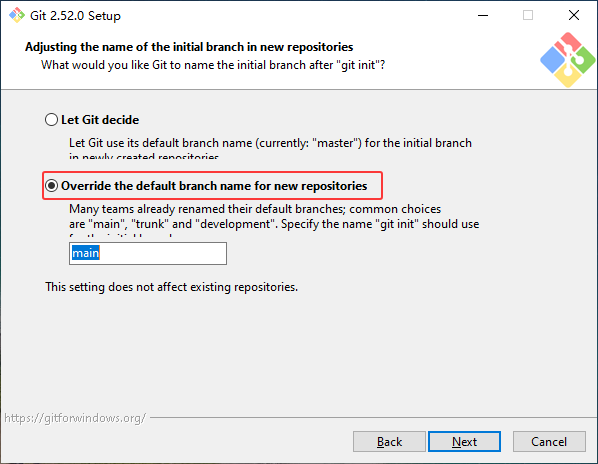
用main分支替代master分支(与GitHub同步)
安装好后,Set up SSH
# 查看设置
git config --list

# name,email 涉及contribution统计
git config --global user.name "Chen Xie"
git config --global user.email "chenxie2016@163.com"


ssh-keygen -t rsa -b 4096 -C "your_email@example.com"

ssh-keygen -t ed25519 -C "chenxie2016@163.com"

# 默认存放路径
C:\Users<你的Windows用户名>.ssh
Blog预览发布及正式发布Git管理流程
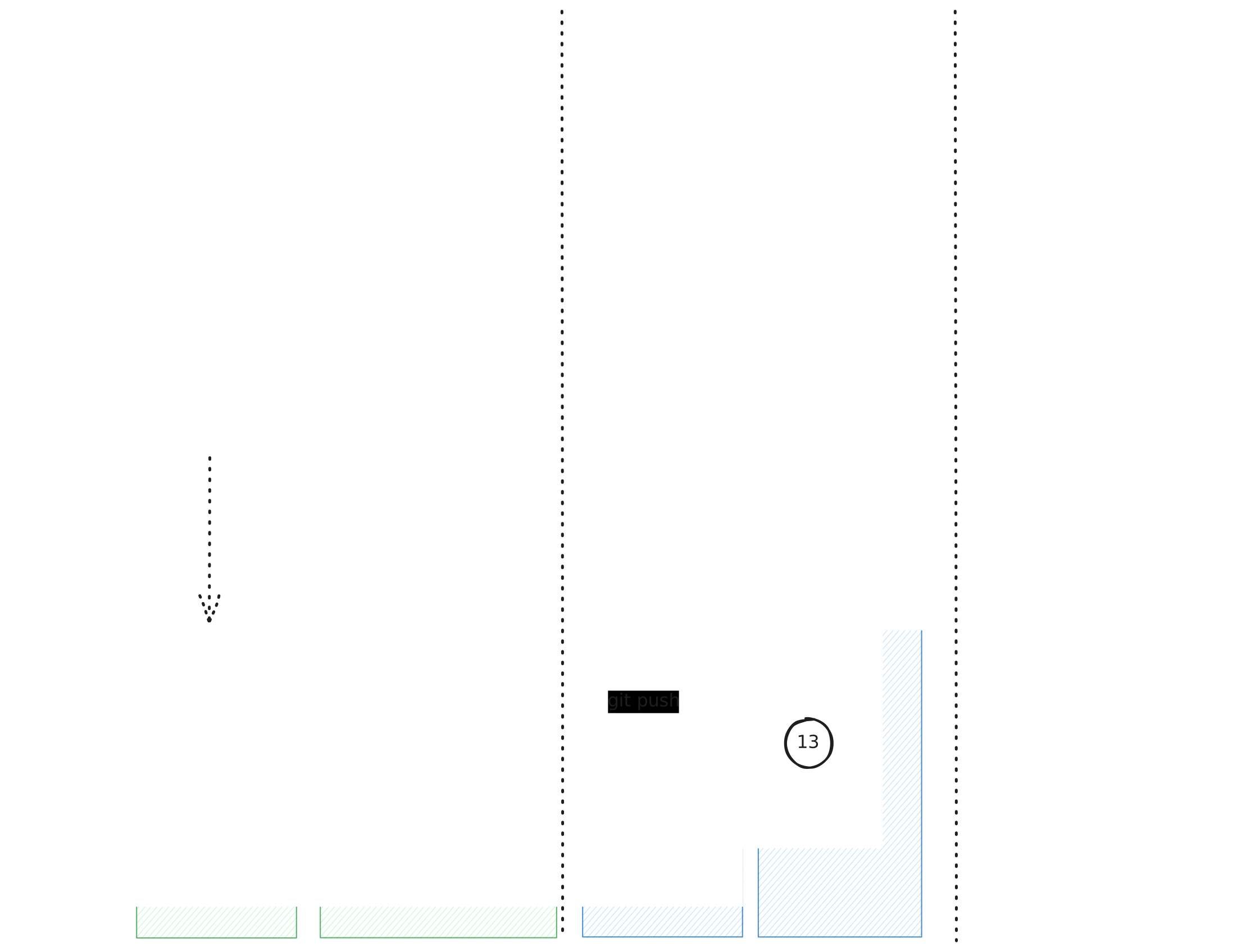
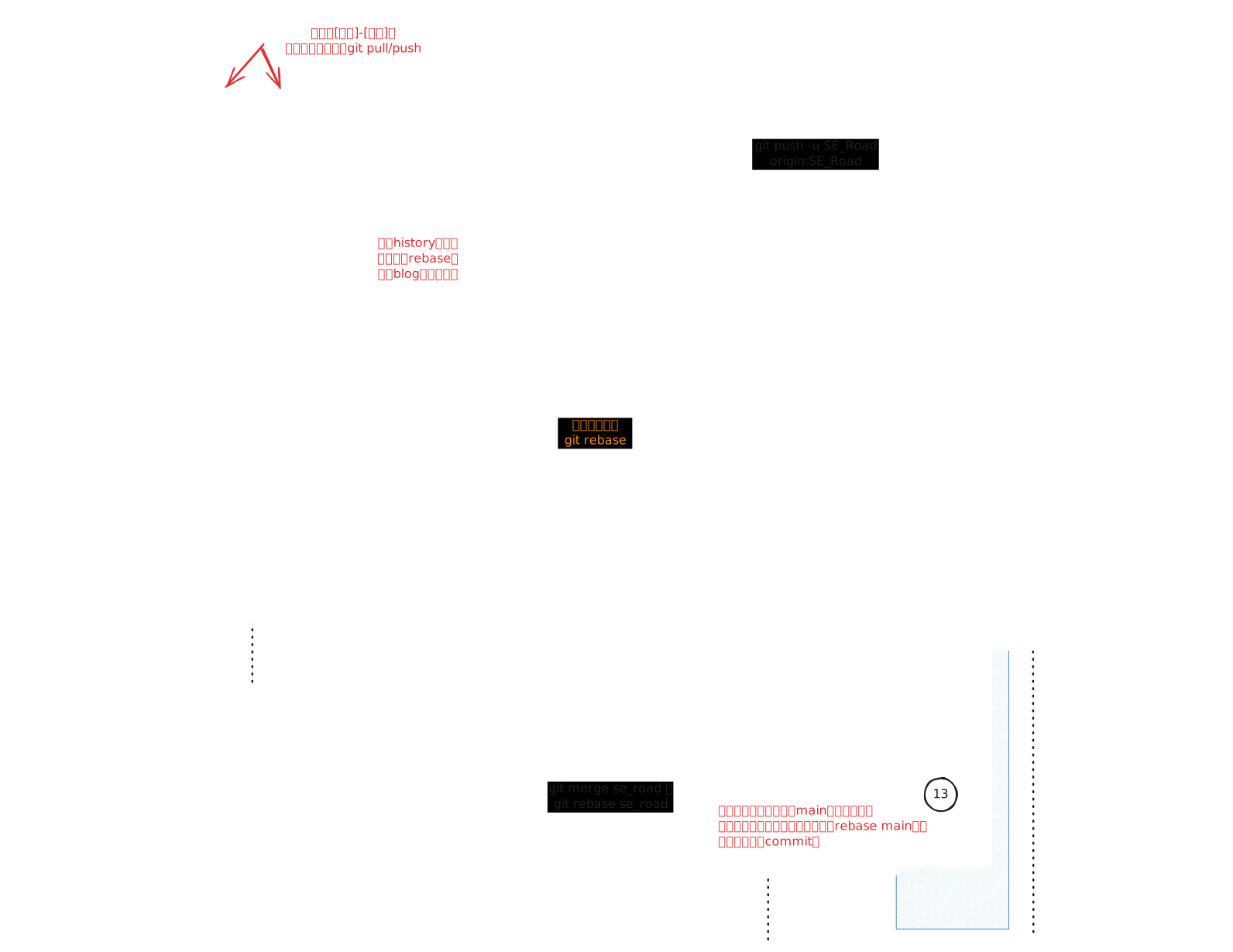
Blog模板应用、修改Git管理流程图
Git在一个分支上做了修改,但是还没有提交,能否在另外一个分支上提交 #git#
场景
我的博客项目,在SE_Road分支git pull了最新发布的内容,发现了博客tag系统的bug,然后直接在这个分支上做了很多调整,现在Bug调完了,我是否可以换一个分支专门提交博客框架上的修改。
解决方案
不需要。可以通过选择特定的文件,来创建一个commit只提交框架相关的提交;然后第二个commit再提交博客和标签页的修改。
# add 特定文件
git add _layouts/page_tag.html _plugins/tag_generator.rb _config.yml

# 查看哪些文件staged
git status

# unstaged不属于框架文件的文件
git restore --staged _posts/

# 提交框架的修改 并与github上的bug编号对应
git commit -m "Slugify问题:「digital_mind|电子大脑」标签无法访问 fixes #51"
然后其他博客发布分支,用git rebase main来更新框架文件(其实也同步了其他分支发布的博客),不过每个分支的文章应该是不冲突的,所以可以就用rebase
将本次commit与上一个commit合并成一个
有时候上次commit犯了一些马虎的问题,修改后,用git commit --amend,即可将本次commit与上次commit合并成一个。
如何将文件恢复到上次commit
即本次修改之后,想丢弃本次修改,通过 git restore <文件路径>,即可恢复指定文件。